
























2026-07-22 · Baduno Editorial Team · 27 Min. reading time · Blog & Knowledge
Localizing AR Interface Texts: From 2D to 3D for European Users
Augmented Reality takes text from flat interfaces into three-dimensional space. For 24 EU languages, this means: Every translation must not only be linguistically correct, but also spatially fit—without overlap, with correct depth, and in culturally appropriate representation. Our guide shows how to master this step from 2D to 3D.
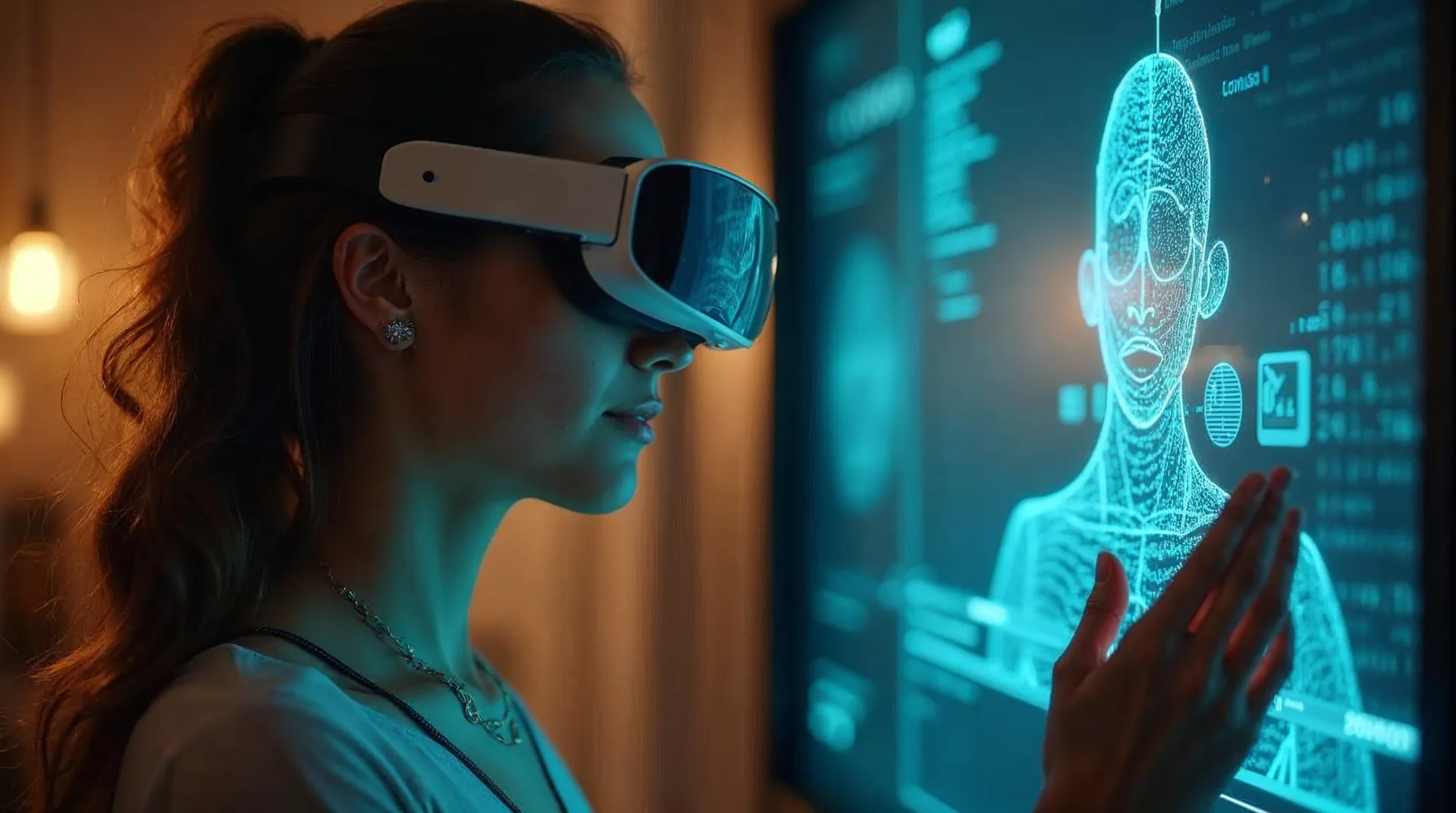
Fundamentals of AR Interface Localization: From 2D Elements to 3D Spaces
The localization of augmented reality interfaces differs fundamentally from traditional 2D translation. In the AR context, interface elements must not only be linguistically correct but also spatially and perspectively integrated into the 3D environment. Unlike a flat screen surface, you face the challenge of binding texts, symbols, and interaction elements to real objects or virtual anchor points. The 'augmented' illusion plays a central role here: the user should feel that the information organically exists in their real world.
A typical example is the display of product information in an AR shopping app. While a 2D app simply shows a text block, in AR the text must be positioned so that it does not merge with the real background or become illegible due to user movements. This requires a flexible layout system that adapts to different screen sizes and ambient lighting conditions. From practical experience, we recommend always aligning texts orthogonally to the camera perspective – they remain readable even when viewed from the side. Additionally, you should reserve maximum space for each target text, as European languages like German or Finnish often have significantly longer word constructions than English.
Another cornerstone is semantic localization: symbols or icons that are clearly understood in one culture can cause confusion in another. For example, a 'thumbs up' gesture symbolizes approval in many EU countries, but in some southern countries it can be considered offensive. Therefore, plan a cultural analysis from the start to avoid such pitfalls. In your project management, include a multilingual QA phase with native testers from various EU countries who check AR interactions in real environments.
Legally, you should note that certain UI elements (e.g., privacy notices or terms and conditions) require different text lengths and placements depending on the country. Consult a specialized lawyer for legal review. In summary, the step from 2D to 3D means not just a translation but a comprehensive spatial and cultural redesign – invest sufficient time in prototyping and intercultural testing.
Text Lengths and Readability in 3D Environments: Dynamic Layout Design
Readability of texts in AR depends significantly on dynamic adjustments. Unlike a monitor with fixed resolution, in 3D spaces distance, viewing angle, and light incidence constantly change. A text that was perfectly readable on screen can completely disappear in a sunny environment or from an unfavorable perspective. Therefore, dynamic layout design is essential, adapting text sizes, contrasts, and positions in real time.
Consider text length variations: while an English instruction like 'Scan the QR code' is short, the German translation 'Scannen Sie den QR-Code' already requires more space. This is even more extreme for Finnish or Hungarian texts, which are often up to 30% longer. A static text frame would lead to overlaps or truncated characters. Therefore, use algorithms that automatically reduce font size or wrap text without compromising readability. As a rule of thumb: the font should never be smaller than 0.5% of the user's field of view – that corresponds to about 12 pixels in a typical AR headset.
Contrast is another critical factor. In practice, a contrast ratio of at least 7:1 (according to WCAG AA) has proven effective, even with changing backgrounds. Use shadows, outlines, or semi-transparent backgrounds (so-called 'billboards') to make texts stand out against visual noise. Also pay attention to viewing duration: in AR, users typically look at texts only briefly (less than 2 seconds). Therefore, design messages concisely and use symbols for support.
A concrete recommendation is the use of 'remote rendering': do not let critical layout decisions be calculated solely on the end device, but use server-side templates adapted to each language. Test your designs under different lighting conditions – from indoor lighting to bright daylight. Document the maximum text lengths of all languages and create a separate stylesheet for each. This way, you avoid unpleasant surprises in the final application.
Comply with legal accessibility requirements (e.g., EN 301 549), which mandate a minimum font size and usability for visually impaired users. Seek legal advice if necessary. Only then can you ensure a consistent and readable user experience in all 24 EU languages.

Considering Cultural and Linguistic Specificities in 24 EU Languages
When localizing AR interfaces for 24 EU languages, you encounter a broad spectrum of cultural and linguistic nuances. These affect not only text, but also symbols, colors, gestures, and spatial conventions. Successful AR localization doesn't just translate words; it adapts the entire user experience to the expectations of the target audience.
Linguistically, writing systems and reading directions must be considered. While most EU languages use the Latin alphabet from left to right, exceptions like Greek or Bulgarian (Cyrillic) require their own character sets. Right-to-left languages such as Arabic are present as minority languages in the EU but are not official EU languages—however, targeted localization for migrant groups may still be worthwhile. For all languages, reading direction influences layout: texts attached to objects should be uniformly aligned according to the user's reading direction. Test in practice whether arrows or progress indicators come from the accustomed direction (e.g., right for 'next' in most European cultures).
Cultural symbols and colors require special care. Red stands for warning in many countries, but in some Eastern European states it also signifies luck. Symbols like the 'OK' hand gesture are not universal: in some Mediterranean countries, it can be vulgar. Therefore, use neutral icons whenever possible or supplement them with text. Avoid stereotypes and nation-specific imagery that may seem inappropriate in another region. A good practice is to create a 'Culture Guide' for each language, documenting taboos and typical associations.
Time formats, dates, and units of measurement also need localization. In AR overlays that display measurements or instructions, automatically switch to the regional system (metric vs. imperial) and date notation (DD.MM vs. MM.DD). Also note the use of decimal separators: a comma in Germany, a period in the UK. Test all number formats under real conditions, as AR often displays data in real time.
Recommendation: Collaborate with a network of native editors from all 24 EU markets and conduct local focus groups. They will identify cultural pitfalls that remain invisible in theory. For legally binding texts (e.g., disclaimers), be sure to consult a legal expert specializing in the respective national law. Only then can you safely navigate the complexity of European cultures and languages—and deliver an AR experience that everyone truly understands.
Spelling, Grammar & Terminology for AR Overlays
In AR overlays, linguistic errors are particularly noticeable because they compete directly with the real environment in the user's field of view. Unlike static text on websites or in apps, corrections are costly after implementation, as texts are often embedded in 3D models or animated. Therefore, thorough linguistic review before implementation is essential.
A common issue is the translation of technical terms that are established differently across EU countries. For example, 'Augmented Reality' is usually called 'réalité augmentée' in French, 'realidad aumentada' in Spanish, but often 'Erweiterte Realität' or directly 'AR' in German. For a consistent user experience, create a binding glossary that defines preferred terms for each language. Pay attention to regional variants: differences may occur in Dutch (Netherlands vs. Belgium) or Swedish (Finland vs. Sweden).
Grammatical pitfalls arise especially with compound words and declensions. In German, for instance, when placing objects in space, you must choose the correct preposition: 'Das Objekt befindet sich auf dem Tisch' vs. 'über dem Tisch'. In Polish or Czech, the case influences the entire sentence form. Test your texts with native speakers who are also familiar with local conventions for AR content.
Practical recommendation: Use a QA process tailored specifically to AR overlays for each language package—for example, through video recordings of the scene with overlaid text. Check not only spelling, but also the correct display of special characters such as accents or umlauts. For example, in French, 'c’est' must be written with the apostrophe (’) and not the straight quote (') to avoid display errors in AR engines. Also implement a routine for dynamic texts generated by user input and validate them against your glossary.
Text Placement in 3D Space: Depth, Perspective & Overlap
The placement of texts in 3D space differs fundamentally from that in a 2D interface. While in 2D the position on the screen is fixed, in AR space the spatial relationship between text, real objects, and the camera perspective must be considered. A text that looks correct on a plane can become illegible in 3D space due to perspective distortion or collide with other elements.
The biggest challenge is depth perception. Texts should float in a depth plane that sets them apart from the background without appearing too far forward or too far back. A rule of thumb: Place labels at a distance of about 1.5 to 2 meters from the viewer when the reference point is a real object at that distance. Use a slight shadow or a semi-transparent background area ("billboard") to increase contrast. However, ensure that this area works equally well in all 24 languages: For light languages (Swedish, Danish) you may need a different opacity than for dark languages (Portuguese).
Overlaps occur when multiple texts are visible simultaneously or when they are obscured by real objects. In an AR application for product assembly, the step-by-step instructions may disappear behind the assembled component. Solve this through dynamic prioritization: Important information (e.g., warnings) always remains in the foreground, while detailed texts can move aside. Test the arrangement in different spatial contexts—for example, under varying lighting conditions or in confined environments.
Practical recommendation: Create a separate layout for each language that accounts for average text length. An English command like "Press the red button" requires less space than its German equivalent "Drücken Sie den roten Knopf." Simulate perspective distortion in a test environment by capturing the camera from various angles. Automate placement using anchoring systems (e.g., World Anchor in ARKit) that fix texts relative to real objects, but be sure to test whether the position remains stable when the user moves. Document the optimal depth and maximum overlap level for each text type (label, caption, instruction manual).
Interaction Design: Translating Gestures, Voice Commands, and Haptics
AR applications extend interaction beyond keyboard and mouse to gestures, voice commands, and haptic feedback. Localizing these interaction modes requires a deep understanding of cultural conventions. A gesture considered universal in one country can be misunderstood or even offensive in another.
For gestures, you need to adapt typical AR movements like tapping, swiping, grasping, or rotating. While many of these gestures are internationally common thanks to smartphones, differences still exist: In Southern Europe, two-finger swipes are often used, whereas in Northern Europe, the thumb is preferred. Test your gesture recognition with subjects from different countries to avoid misinterpretations. Also translate haptic feedback: A short vibration pulse for "confirmation" may be perceived as too weak or too strong in some cultures. Adjust the intensity to local expectations – experience shows that users in Scandinavia prefer subtler feedback than those in the Mediterranean region.
Voice commands pose a particular challenge as they rely on natural language. Define fixed commands for each language that are phonetically unambiguous and cannot be confused with other words. In German, "Start" might be confused with "Stadt" – instead use "Los" or "Beginne." Pay attention to regional accents: A voice command that works well in Austria may sound different in Germany. Train your speech recognition model with local speech material. Also offer alternative commands in case the primary command is not recognized.
Practical recommendation: Create an intercultural interaction manual that documents the preferred gestures, voice commands, and haptic feedback for each language. Have this manual reviewed by native speakers from different regions. Implement a modular system that loads the appropriate interaction logic depending on the device's language setting. Test interactions in real environments, such as a workshop or museum, to ensure robustness. For example, if a voice command in Italian is "Aggiungi," ensure the microphone responds reliably even with background noise on a busy piazza.
Accessibility in Multilingual AR Interfaces: Read-Aloud Function and Contrast
Accessibility is often an underestimated challenge in localizing augmented reality interfaces, especially in 24 EU languages. Since AR applications are used in heterogeneous environments, you must ensure that all users – including those with visual impairments or cognitive limitations – can perceive the content. Two key aspects are the read-aloud function and contrast design.
Implement a multilingual speech output that reliably reads AR texts aloud. You need to optimize the pronunciation of technical terms, product names, and UI elements in each target language. Use either native TTS (text-to-speech) engines or external services, but pay attention to language-specific phonetic rules. In practice, it has proven effective to define a separate audio channel with correct intonation for each language. Also check whether the read-aloud function remains intelligible even with background noise – for example, through dynamic volume adjustment.
Contrasts are particularly critical in AR because the background lighting constantly changes. Do not use fixed color values, but calculate the contrast dynamically based on the current ambient brightness. A minimum contrast ratio of 4.5:1 for normal text and 3:1 for large text (according to WCAG 2.1) should be maintained in all languages. Ensure that colorblind users can also distinguish – so use not only color but also symbols or textures.
Concrete recommendation: Conduct an accessibility test with screen readers and contrast measuring devices for each target language. Define in your AR style guide that font sizes scale proportionally to the field of view and that text is always placed on an opaque background surface unless the environment is homogeneous. Test the read-aloud function with native-speaking users with visual impairments to validate intelligibility in real scenarios. Note that accessibility is not only ethically required but also has legal relevance – EU Directive (EU) 2019/882 mandates accessible products and services.
Legal Requirements for AR Texts in the EU: Imprint, Data Protection, Terms and Conditions
When localizing AR interfaces for the European market, you must provide a variety of legal texts in each of the 24 languages. These include the imprint, privacy policy, general terms and conditions (GTC), as well as product-specific notices – such as risks or usage restrictions. These texts must not only be accurately translated in terms of content but also integrated into the AR environment in a way that meets legal requirements for transparency and accessibility.
The imprint must be easily findable in all EU member states where your AR application is offered. In AR, this means: do not just link the imprint in a menu, but place a permanent button or gesture (e.g., long tap on a corner) for quick access. The mandatory information (company name, registered office, authorized representatives, contact details) must be available in the respective national language. Pay attention to country-specific features: Austria and Germany have different regulations regarding the indication of legal form.
Data protection is a particularly sensitive topic because AR applications often process camera images and location data. You must provide a complete privacy policy according to the GDPR (or national implementations) in each local language. Thereby, explain specifically which data is collected via the AR interface – such as tracking hand movements or analyzing the camera image. Use an AR overlay for consent that is not skippable and is formulated in the user's native language. Recommendation: Have all legal texts reviewed by a specialist lawyer for IT law in the target countries before deploying the localization.
GTC must be independently readable in AR – even if the texts are longer. Use dynamic scroll overlays that do not obscure the entire view but show all clauses. Ensure linguistic clarity: avoid legalese in the translation; clear, user-friendly language is permitted as long as the legal content is preserved. Consider embedding a link to the full PDF version if the AR display is too brief. Note: For each EU language, the GTC must be available in the same language version as the AR interface according to the user's language of the court. This ensures effective incorporation under Article 14 of the EU Consumer Rights Directive.
Quality Assurance: Testing AR Translations in Real Environments
Quality assurance for localized AR surfaces is more demanding than for traditional 2D interfaces, as translations must be tested in spatial contexts. A purely static screenshot test is not enough: you need to verify each translation in the real 3D environment where the AR application will later run. Therefore, plan a multi-stage testing process that covers both linguistic and technical aspects.
Start with a linguistic review, where native-speaking experts check the translations for accuracy, tone, and cultural appropriateness. Also have them assess the placement of texts in the 3D space: Is the font size readable in all environments? Are overlaps avoided? Use test persons who speak the target language as their native language and have them run the AR application in typical scenarios—for example, in bright outdoor areas, indoors with changing light, or during movement. Document any anomalies with a screenshot or video recording to enable later corrections.
In parallel, conduct technical tests to verify that the translations load correctly and that layout adjustments such as text shortening or line breaks work properly. Use automated tools to measure the character string lengths across all 24 languages and compare them with the AR containers. Particularly test dynamic text fields that grow or shrink depending on user action—this is often linked to static anchor points in AR. Pay attention to the display of special characters (umlauts, accents) in the chosen font.
Concrete action recommendation: Define a test protocol for each language and each AR scenario (e.g., navigation, product visualization, game) with the criteria readability, translation fidelity, cultural appropriateness, and technical stability. Conduct tests in the real environment, not in a simulator. Involve at least three native-speaking testers per language to ensure sufficient coverage. Create a bug database with categorization by severity (e.g., illegible, distorting meaning, stylistic) and prioritize fixes by user impact. Repeat the test cycle after every translation update to catch new errors early.
Augmented Reality takes text from flat interfaces into three-dimensional space. For 24 EU languages, this means: Every translation must not only be linguistically correct, but also spatially fit—without overlap, with correct depth, and in culturally appropriate representation. Our guide shows how to master this step from 2D to 3D.
Tools and Workflows for Localizing AR Content
Localizing AR interfaces requires specialized tools that go beyond classic translation management systems. In practice, a combination of a CAT tool (Computer-Assisted Translation) and a 3D rendering editor has proven effective. The CAT tool manages the text modules, while the editor visualizes the placement in the AR scene. For example: You use an editor that shows the x, y, z coordinates of each text element and enables a live preview on different devices. This way you can immediately see if a German text after translation protrudes beyond the edge of a virtual object. A recommended workflow is one where translators can work directly in the editor without needing developer skills. Ensure that the tool marks text length changes with color (e.g., red when the maximum character count is exceeded).
For team collaboration, we recommend cloud-based platforms that offer versioning and comment functions. Each translated text should have a unique key linked to the AR scene. A practical approach is to create a style guide that includes not only linguistic specifications but also requirements for 3D placement: maximum character count per element, permitted font sizes, and spacing. This guide is stored in the tool and serves as a reference for all translators. Always test localizations on real end devices, as the display in the editor may differ from the actual AR view. A systematic acceptance process with screenshots and bug reports is essential.
Another important aspect is the integration of terminology databases specifically for AR terms. Many technical terms such as "anchor", "tracker", or "overlay" are not uniformly translated across EU languages. We recommend establishing consistent terminology per language and storing it as a glossary in the CAT tool. This avoids confusion among users. Legal advice: Clarify with your legal team in advance which text content (e.g., legal notices) must not be translated without legal review.

Pitfalls in Integrating AI Translations into AR Systems
AI translations provide a fast foundation but carry specific risks in AR contexts. A common mistake is the literal translation of instructions that become ambiguous in 3D spaces. For example, the English 'Tap the button' is often translated in AR interfaces as 'Tippen Sie auf die Schaltfläche.' This wording ignores the fact that users are tapping a virtual button in the air – a better choice would be 'Berühren Sie die Schaltfläche' or 'Drücken Sie den Button in der Luft.' AI models tend to default to standard formulations that do not account for spatial context. In practice, we recommend using AI translations only as a raw draft and having them reviewed by native speakers with AR experience.
A second pitfall is the handling of variables and placeholders. AR texts frequently contain dynamic content such as '{object name} is loading'. AI translations sometimes alter the placeholder structure, causing the system to no longer recognize the variable. We have observed that approximately 5% of AI translations lead to errors during testing when placeholders are not copied correctly. Ensure your translation pipeline treats placeholders as protected elements – either through pre- and post-processing or via special tagging in the CAT tool. Additionally, after integration, run automated tests to verify that all variables are output correctly.
Third, cultural nuances are often overlooked by AI. A real-world example: The prompt 'Swipe left' was translated in Italian as 'Scorri a sinistra', even though swiping right for confirmations is more common in Italy (since texts are read left to right). An AI does not automatically recognize such cultural differences. Therefore, human review is essential – someone who knows the target audience and typical usage of the AR app. We recommend creating a checklist of cultural specifics per language and cross-referencing it with the AI translation. Also consider regional variants such as British vs. American English or Belgian vs. Netherlandic Dutch – here AI often delivers the wrong version. Finally, document all errors found to improve your AI models through feedback.
Collaboration with Developers: Requirements for Text Containers and Variables
Smooth localization requires developers to consider the needs of translation teams from the outset. The central point is text containers: they must scale dynamically to accommodate longer or shorter translations without disrupting the AR flow. Require developers to assign each text container a minimum and maximum width, as well as a fixed height or automatic height adjustment. For example, an English button with 'Next' (4 characters) becomes 'Weiter' (6 characters) in German and 'Következő' (9 characters) in Hungarian. The container must handle these differences without breaking the layout. We recommend documenting the maximum text lengths per language in a developer document (e.g., max characters for German, Finnish, etc.).
Variables in AR texts must be standardized. Developers should use a uniform format, e.g., curly brackets: {variable_name}. Avoid special characters that may cause conflicts in certain languages (e.g., % in placeholders, which could be interpreted as a percent sign in translations). Ensure variables appear in the order required by the target language. In German, for instance, you have '{name} found' – in Polish, the sentence structure may differ. Developers must enable this by rearranging variables in the source code or via a function. In practice, creating a mapping that defines variable positions per language has proven effective.
Communicate regularly with developers about new text containers added in updates. An agile workflow with a ticketing system (e.g., Jira) facilitates tracking. Set clear requirements: each text must have a unique key that is not visible in the interface but can be linked in the CAT tool. Request test builds where translations are visible directly in the AR environment – not just as 2D screenshots. This is the only way to detect overlaps and perspective issues early. If your team does not have access to the development environment, ask for a simple export of all interface texts as a CSV or JSON file, which can then be imported. Finally, document all agreements in a manual so that new team members can be onboarded quickly.
Practical Tips for Updating AR Texts During Software Updates
Software updates in AR applications present unique challenges for localization teams. Unlike pure 2D apps, not only text modules change, but often spatial anchor points, interaction logic, or 3D models as well. A key practical tip is to introduce a versioning strategy that manages AR assets and translations in parallel. Use a translation management system (TMS) that stores both 2D string keys and metadata for 3D positions, scaling, and orientation. This way, when you update, you can have only the changed texts and their spatial contexts retranslated without reworking the entire database.
Another critical point is early communication with developers. Request a detailed change log that lists not only new text IDs but also changes to UI layouts or 3D scenes. In practice, it has proven effective to establish a fixed interface process: developers provide an updated resource file (e.g., JSON with strings plus coordinates), which localization teams import and export after translation. Automated tests on an emulator or a physical device should be conducted before release to detect text overflow or misalignment.
Also consider that updates may affect local laws or cultural norms. For each of the 24 EU languages, you must check whether new texts contain mandatory legal information (e.g., privacy notices) or whether requirements have changed. For larger updates, plan a renewed legal review of localized content. Document all changes by version to be able to prove which texts were delivered at what time in case of a dispute.
Finally, we recommend defining an emergency workflow for critical bugfix updates: Keep a pool of trusted translators ready to correct texts within a few hours, and use an automated pipeline that feeds updated strings directly into the AR system. Test such processes in advance in a staging scenario. This ensures that even urgent patches do not compromise the linguistic and spatial quality of your AR content.
Checklist for the successful localization of your AR application in 24 languages
Localizing an AR application into all 24 EU official languages requires systematic planning. The following checklist summarizes the essential steps – from preparation to launch. Preparation: 1. Create a text inventory of all AR strings including metadata (position, orientation, font size). 2. Define language profiles with character limits, reading directions, and special characters for each target language. 3. Develop a style guide that specifies tone, terminology, and cultural adaptations. 4. Choose a TMS that supports 3D coordinates and variables. 5. Clarify legal requirements for each language (e.g., imprint obligation in DE, AT, CH).
Implementation: 6. First translate the core texts and conduct a two-stage review with native speakers. 7. Adapt texts to three-dimensional space: shorten long strings, use dynamic layouts, or place text in depth. 8. Integrate translations into the AR engine and test for overlaps, readability, and perspective. 9. Validate local formats (dates, currencies, units) as well as cultural norms (colors, symbols, gestures). 10. Check accessibility: contrast ratios, font sizes, and screen reader compatibility for each language.
Testing and Release: 11. Test the AR application on different devices and under real lighting conditions (outdoor/indoor). 12. Conduct user tests with native speakers in each target market. 13. Document error cases and fix them before rollout. 14. Have the legal texts reviewed by a lawyer with EU law expertise – depending on the language, consultation with local attorneys may be necessary. 15. Perform a final QA review in the TMS environment: compare source and target texts, check placeholders and context comments.
After Launch: 16. Implement an update process that allows timely corrections. 17. Collect feedback from the markets and plan regular optimization rounds. 18. Archive all versions for legal documentation. This checklist does not replace individual legal advice but serves as a guide to implement the 24-language localization of your AR application in a structured and error-minimized manner.
Budget and effort for AR localization in 24 languages
Localizing an AR application into 24 EU languages requires realistic budget and effort planning. Unlike pure 2D text, AR incurs additional costs for 3D design, adapting text containers to dynamic lengths, and integration into the development environment. A rough guideline: per language and screen (e.g., menu, overlay), expect 2 to 6 hours for translation and localization-specific adjustments. Add to that test cycles in the real environment, which account for 10 to 30 percent of the total budget depending on complexity. A common mistake is to calculate only the pure translation costs. In fact, costs arise for rendering special characters (e.g., Cyrillic, Greek), checking readability at different depths, and adapting UI animations to longer texts. Accessibility – such as integrating text-to-speech functions in multiple languages – also requires additional development work. To reduce effort, it is advisable to first translate a pilot language and validate the results in a test environment before tackling all 24 languages in parallel. Build in buffers for unexpected issues like different dictionary structures (e.g., in Finnish) or culturally induced layout changes. Close collaboration with an experienced localization service provider helps avoid pitfalls. Note: Each AR platform (iOS, Android, WebAR) has its own requirements that impact the effort. Have a detailed effort estimate created before the project starts, covering both translation and development hours. For example: localizing an AR furniture configurator into 24 languages can cost between €20,000 and €60,000 depending on complexity. This figure is for orientation only; the actual price depends on the number of text variables, the depth of localization, and quality assurance. Better to invest more in thorough testing to avoid later corrections.
Common Objections and Misunderstandings in AR Localization
Many project managers underestimate the complexity of AR localization or have misconceptions. A common objection is: 'Our AR app is visual, so we hardly need text – translation will be quick.' In practice, even short texts like button labels or instructions affect the entire layout due to varying language lengths. A German text can be 30% longer than its English counterpart; Swedish, on the other hand, is often shorter. Without dynamic containers, overlaps can occur. Another misunderstanding: 'AI translation is sufficient, we don't need human review.' AR contexts are highly context-dependent; a mistranslated gesture or inappropriate tone can significantly impair the user experience. The combination of AI pre-translation and native-language review is the proven approach here. Some developers fear that localization will impact performance—for example, through more complex text shaders for special characters. However, modern engines like Unity or Unreal allow efficient text solutions if localization is integrated early into the workflow. The objection 'Our target audience speaks English anyway' does not hold up either: According to EU consumer studies, over 70% of users prefer their native language for digital products, especially for safety-related or legal information. Another argument is the supposedly high time investment for quality assurance. This can be reduced through automated layout tests and screenshot comparisons. However, always plan for manual tests by native speakers on site, as only this can reveal perspective distortions or culturally inappropriate symbols. Don't be fooled by initially good results in one language; each language presents its own challenges. Conclusion: Take objections seriously, address them with concrete examples and practical data, and involve your team early in the localization process. Open communication between developers, designers, and translators is key to success.
FAQs
How do I handle different text lengths in 3D environments?
Experience shows that dynamic layouts can be used, which scale or wrap text containers depending on length. In practice, it has proven effective to plan space reserves of 30% for German and 50% for other languages. Alternatively, texts can be defined as overlays with a maximum character count – if exceeded, a short version is used. Always test in the 3D environment, as perspective and depth affect readability.
Which cultural aspects are particularly important to consider when localizing AR for 24 EU languages?
Cultural differences affect not only language but also symbols, colors, and gestures. For example, in Arab countries, text is read from right to left, which changes the arrangement of text in 3D space. Colors like red mean danger in some cultures, but luck in others. The depiction of hands or pointing gestures should also be adapted to local norms. Seek advice from native speakers who understand the cultural context.
How do I effectively test AR translations in the target environment?
AR translations should always be tested in the real environment they were designed for. Use target runners or emulators that replicate the 3D scene. Pay attention to text overlapping with objects, readability from different perspectives, and correct display of variables. An iterative process with multiple test runs under different lighting conditions and distances is recommended. Involve end users from the target countries.
